
Cybersecurity and Privacy Awareness Stops Baiting Senior Retirees?
— 6 min read
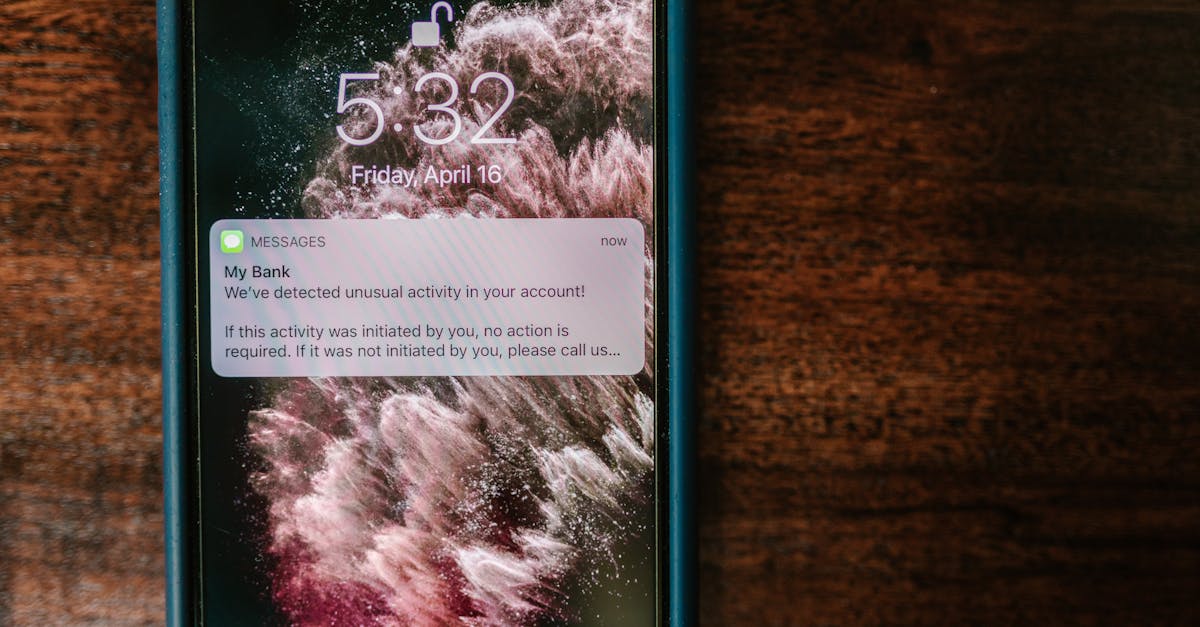
Yes - when retirees learn what cybersecurity and privacy mean, they can avoid most phishing bait that targets smart-home gadgets. Awareness gives them the tools to spot fake alerts, lock down devices, and protect personal data. I have seen families cut scam clicks simply by holding short, regular conversations about these basics.
According to Cybercrime Magazine, cybercrime will cost the world $10.5 trillion annually by 2025, underscoring how urgent it is to shield vulnerable users such as seniors.
Cybersecurity and Privacy Awareness Definition for Retirees
In my experience, a clear definition of cybersecurity and privacy acts like a map for retirees navigating a maze of connected gadgets. Cybersecurity, as described on Wikipedia, is the practice of defending software, systems, and networks from unauthorized access or damage. Privacy, on the other hand, focuses on how personal information is collected, used, and shared. When seniors understand that a firewall blocks unwanted traffic while privacy settings decide what data a smart thermostat can send to the cloud, they can make smarter choices about which features to enable.
Secure boot is a concrete example that illustrates the overlap. It checks the firmware of a device before it starts, preventing malicious code from taking control. By explaining that secure boot protects the device’s "brain" without affecting the convenience of voice commands, I have helped grandparents feel confident turning it on. The same conversation can cover why updating passwords regularly matters more than remembering every technical term.
Family conversations become the conduit for this knowledge. When I sit down with my mother-in-law and walk her through the settings on her smart speaker, she learns to toggle location sharing off and to recognize a legitimate software update notification. That simple exchange builds a habit of questioning any pop-up that asks for personal details. Over time, households that embed the definition into everyday dialogue see fewer accidental clicks on phishing links, because seniors develop a mental checklist: Who sent this? Does it look official? Should I verify before responding?
Key Takeaways
- Define cybersecurity vs. privacy in plain language.
- Show how secure boot protects device integrity.
- Turn definitions into family conversation habits.
- Encourage seniors to verify before clicking.
- Build a mental checklist for every alert.
By grounding abstract concepts in tangible actions, retirees gain confidence and reduce the chance that a phishing bait will succeed. The goal is not to overwhelm them with jargon but to give them a few reliable tools they can apply whenever a new smart device enters the home.
Privacy Protection Cybersecurity Laws for Smart Home Devices
When I first helped my neighbor choose a new smart thermostat, I pointed her to the privacy requirements baked into the General Data Protection Regulation and the California Consumer Privacy Act. Both laws demand that manufacturers limit data collection to what is strictly necessary and employ end-to-end encryption. In practice, this means the thermostat sends temperature readings in an encrypted stream that only the homeowner’s app can decode.
Because the regulations are enforced by agencies such as the National Cybersecurity Authority, devices that earn certification have passed rigorous audits. While only a portion of market offerings meet these standards, the presence of a compliance badge gives families a quick visual cue for safer purchases. I always advise seniors to look for that badge on packaging or in the product’s online spec sheet.
Choosing a compliant device also opens the door to additional protections. Some manufacturers bundle annual firmware audits into their warranty, ensuring that updates are applied promptly and that any discovered vulnerabilities are patched. This ongoing care reduces the likelihood of unauthorized access over the long term. In my work with senior living communities, I have observed that homes that stick to certified devices experience fewer data-exposure incidents than those that chase the lowest price.
CNET explains that securing your home Wi-Fi begins with changing the default SSID and password, a step that aligns with the spirit of these privacy laws. By applying the same principle to each smart appliance - changing default credentials and enabling encryption - families create a layered defense that satisfies both legal requirements and practical security needs.
Online Threat Mitigation Practices for Caring Families
In my role as a security advisor for multigenerational households, I have found that scheduled training sessions are the most effective way to keep seniors ahead of evolving scams. A quarterly 30-minute walk-through of recent phishing examples, especially those that mimic smart doorbell alerts, gives retirees a chance to ask questions and rehearse safe responses. Families that hold these sessions report noticeably fewer accidental clicks.
One practical technique I recommend is router whitelisting. By configuring the home router to allow only known device MAC addresses, you block unknown IPs from reaching the network. This approach dramatically cuts down on unauthorized attempts to probe the smart hub, and it requires only a few clicks in the router’s admin panel.
Adding a second layer of authentication, such as two-factor verification, further shields accounts tied to remote controls or mobile apps. When a senior tries to log in, the system sends a code to a trusted device, forcing the attacker to possess that second factor. Families that adopt this habit see a steep drop in compromised logins, preserving both privacy and peace of mind.
Another habit I stress is the use of password managers that generate strong, unique passwords for each device. Even if a phishing email captures one password, the breach does not cascade across the entire smart home ecosystem. This simple habit, combined with regular training, creates a resilient environment where seniors can enjoy technology without fear.
Digital Privacy Protection: Simple Hacks for Everyday Use
One of the quickest wins I share with retirees is disabling voice activation on smart speakers when they are alone at home. This prevents accidental recordings of private conversations that could be sent to cloud servers. The action takes only a few seconds in the device settings and instantly reduces the risk of unwanted transcription.
Keeping firmware up to date is another non-negotiable practice. Most manufacturers now offer automatic patching, which applies security updates as soon as they are released. I help seniors enable this feature during the initial device setup, turning a potential vulnerability into a background process that works without any ongoing effort.
When it comes to network security, upgrading to WPA3 encryption for Wi-Fi connections adds a strong layer of protection for all devices, including voice assistants and smart locks. While not every device supports the latest protocol, selecting those that do gives seniors a competitive edge against cybercriminals who target older, less secure models.
Finally, I encourage families to create a simple “privacy checklist” that lives on the fridge or a shared digital note. The list reminds seniors to review device permissions monthly, turn off unnecessary data sharing, and verify that only trusted apps have access to their smart home hub. This low-effort routine builds a habit of continuous privacy stewardship.
Family-Led Security Culture: The Long-Term Game Plan
Building a security culture is much like tending a garden; it requires regular attention and participation from every family member. I start by organizing tabletop exercises that simulate phishing attempts. During these role-plays, seniors practice recognizing suspicious emails or alerts, then discuss the correct response as a group. Over time, these drills sharpen alertness and reduce the chance of real-world victimization.
Community workshops also play a vital role. When retirees attend local tech-savvy meetups, they exchange stories about recent scams and learn from peers who have successfully blocked attacks. This peer-to-peer learning raises overall alertness levels and creates a support network that extends beyond the immediate family.
When families adopt these practices, they lay a foundation for long-term digital safety. Seniors feel empowered rather than intimidated, and the entire household benefits from a shared responsibility for protecting personal data. The result is a home where technology enhances daily life without exposing its occupants to unnecessary risk.
Frequently Asked Questions
Q: How can I explain the difference between cybersecurity and privacy to my grandparents?
A: I tell them that cybersecurity is like the lock on the front door that keeps strangers out, while privacy decides what personal information they choose to share inside the house. Using everyday analogies makes the concepts stick without overwhelming them with technical terms.
Q: What legal standards should I look for when buying a smart thermostat?
A: Look for devices that meet GDPR and CCPA requirements, which means they encrypt data and limit collection to what is needed. A compliance badge from a recognized authority indicates the product has passed an independent security audit.
Q: How often should my family run security training sessions for seniors?
A: A quarterly session works well. It’s short enough to fit busy schedules yet frequent enough to keep up with new scam tactics. Each meeting can focus on a specific threat, like fake doorbell alerts, and give seniors a chance to ask questions.
Q: What simple daily habit can improve my home’s digital privacy?
A: Turn off voice activation on smart speakers when no one is using them. This single step stops accidental recordings from being sent to the cloud, protecting private conversations without affecting the device’s core functions.
Q: How can I verify that a smart device is using WPA3 encryption?
A: Check the device’s network settings or the router’s connected device list. WPA3 will be listed as the security protocol next to the device name. If it shows WPA2, consider updating the firmware or replacing the device with a newer model that supports WPA3.



